


A junior golfer’s week is rarely just golf. There’s school, usually another sport or two, a brother or sister with plans of their own, and a squad session that moved from Tuesday to Thursday in a message nobody read until Wednesday night. The scheduling apps for managing golf practices that actually help are the ones that hold all of that in one place, not just the golf, and that make the rest days as visible as the practices.
I’m Al. I trained and taught high school mathematics and science, and these days I’m a stay-at-home parent to two boys who are five years apart and have played junior golf for about a decade between them. I’m not a software reviewer or a golf coach, and I don’t name the apps on my own phone, so every app in this guide is judged on what its maker publishes, what it costs and what its owners report. What I can bring is ten years of fitting golf around everything else a family does. If your calendar has stopped keeping up, read on.
⛳🏌️
Cozi Family Organizer
I chose it over the team apps because it's built for a whole family's week rather than one squad's, and it can pull those team schedules in.
It puts every child's practices, lessons and other commitments in one shared calendar, each in their own color.
- Free version, or Gold at $39 USD a year
- Subscribes to school and team calendars
- iPhone, Android and web
What a Golf Family Actually Needs to Schedule
Golf is one line on a crowded calendar: The scheduling is harder than the golf. In our house that has meant two children, school for both, weekend tournaments here in Australia that eat the entire weekend, and neither of them plays only golf. Other sports, other activities and the ordinary business of a family all want the same hours. Junior golf isn't competing with free time, it's competing with everything else the child already does, and something has to give. Working out what gives, and letting the child have a say in it, matters more than any equipment decision you'll make. It's a logistics problem long before it's a sporting one. If your week looks the same, you're in good company.
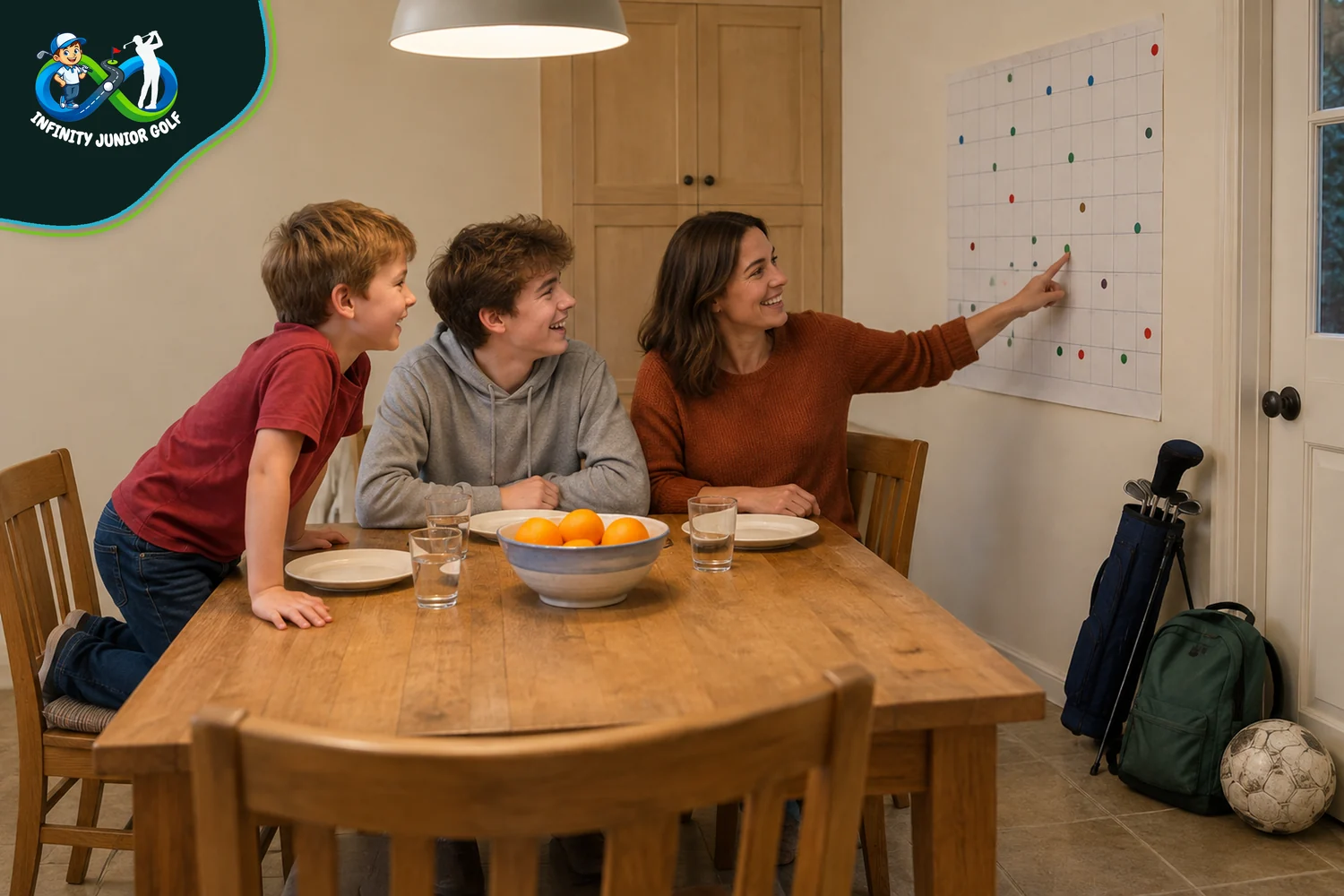
Rest days belong on the schedule: The American Academy of Pediatrics recommends 1 to 2 days (opens in a new tab) of rest every week and at least 2 to 3 months off sport during the year, which it says can be split into one-month blocks. Its parent website repeats the same advice and describes burnout as the point where kids no longer feel (opens in a new tab) a sense of fun and accomplishment when they play. An app can't prevent burnout, but it can make a week with no day off obvious before it happens.
Count the hours, not just the sessions: The same AAP guidance says kids should not train (opens in a new tab) more hours each week than their age, and that means all organized sport, not golf alone. The rule traces back to research from Loyola University Medical Center and Lurie Children's Hospital of Chicago, which enrolled 1,206 young athletes (opens in a new tab) aged 8 to 18 and set out to follow each one for up to three years. In the published analysis, athletes who played more weekly hours than their age had higher odds (opens in a new tab) of a serious overuse injury (an odds ratio of 2.07), and so did those whose organized sport outweighed free play by more than two to one (1.87). That's an association rather than proof, but a twelve-year-old with golf, soccer and swimming in the same week adds up faster than it looks.
Sleep is a scheduling decision too: The American Academy of Sleep Medicine recommends 9 to 12 hours (opens in a new tab) of sleep for children aged 6 to 12 and 8 to 10 hours for teenagers aged 13 to 18, and the AAP says growing athletes need plenty of sleep (opens in a new tab) to recover from training. An early tee time or a late squad session on a school night moves bedtime, and a calendar that shows both makes the trade visible.
Tournament weekends need their own block: Nobody warns you about the logistics: travel, accommodation, entry fees, time off school, and an entire weekend structured around one child's tee time. Whatever goes in the bag for a tournament weekend, the calendar entry needs to start the evening before and finish after the drive home.
Two children are rarely at the same stage: Five years between my two means they've almost never been at the same stage, and they wanted completely different things from golf. One took to the competitive side early. The other was there for the time outdoors and the company. One family calendar has to carry both kinds of week at once. How much golf belongs in each child's week is its own question, and a balanced weekly schedule is the place to start on that.
So the calendar has to hold practices, lessons, tournaments, school, other sports, rest days and sleep, often for more than one child. The first decision is where all of that lives, and that's the family calendar.
Scheduling Apps for Managing Golf Practices Around Family Life
Start with the calendar you already have: If your family uses Google accounts, creating a family on Google automatically creates (opens in a new tab) a shared calendar called Family, and anyone in the family can add and change its events. A Google family group holds up to 6 people (opens in a new tab), and the person who manages it has to be above the age of majority in their country. A child under 13 needs a Google Account set up through Family Link (opens in a new tab), with the age varying by country. Apple households can share an iCloud calendar (opens in a new tab) with other iCloud users instead. Both options cost nothing.
Know where the free option falls short: Google's family calendar doesn't notify you by default (opens in a new tab) when someone else in the family creates, edits or deletes an event, so a practice your partner moved can slip past unless you switch those notifications on. You also can't subscribe (opens in a new tab) to a club or squad calendar from the Google Calendar phone app. It has to be added from a web browser on a computer, and only if that calendar is public. Neither is a deal-breaker, but both catch families out.

A calendar built for families: Cozi is designed around one shared family account, with a color-coded view (opens in a new tab) for each family member, reminders, and a daily or weekly agenda email. Its App Store listing says you can subscribe to (opens in a new tab) school calendars and team schedules, and Cozi says it works with (opens in a new tab) Google, Outlook and Apple calendars. Owners give it 4.8 from about 402,000 ratings (opens in a new tab) in the US App Store and 4.7 from about 19,000 in Australia's App Store (opens in a new tab).
🏌️
Cozi Family Organizer
I chose it because it's the one app here built around a whole family's week, with each child in their own color and team schedules pulled in.
- A color-coded view for each family member
- Subscribes to school and team calendars
- Gold at $39 USD a year removes ads
What Cozi's free version leaves out: The free version shows ads. Cozi Gold, at $39 USD a year (opens in a new tab), removes them and adds month view on mobile, calendar search, up to three reminders per event and notifications when events change. That last feature is the one a golf family will miss most. A Max plan with AI features costs $79 USD (opens in a new tab) a year. Cozi's US listing is in English only (opens in a new tab), and its App Store privacy label lists identifiers and usage data among the data used to track (opens in a new tab) you. Those labels are written by the developer, and Apple hasn't verified (opens in a new tab) them.
One calendar per child or per sport: TimeTree is free to start and built around multiple shared calendars (opens in a new tab), so each child or each sport can have its own and you can view them together. Events carry their own chat and memos, and the app syncs with device calendars such as Google Calendar. Premium costs $44.99 USD a year (opens in a new tab), or $4.49 USD a month, removes ads, and TimeTree says the price varies by region and currency. Owners give it 4.9 from about 93,000 ratings (opens in a new tab). The catch for younger golfers is its 13+ age rating (opens in a new tab): it suits parents and teenagers, not a ten-year-old's own phone.
Choose by who needs access: If everyone is already on Google or Apple, the free family calendar may be all you need, as long as someone switches on change notifications. If you want one family login, shared lists and a weekly email, Cozi does that job. If you'd rather keep each child's golf on its own calendar, TimeTree does. A yearly fee is small next to lessons and entry fees, but it still belongs in the junior golf budget with everything else that recurs.
A family calendar holds the week together, but the practice times themselves usually come from somewhere else: the app your child's coach or club already uses.
Team and Coach Apps Your Junior's Club May Already Use
The coach usually chooses this one: Squad sessions, group clinics and lessons tend to arrive through whichever app the coach or club has picked, not the one you would have chosen. Both my boys have been through group clinics, private lessons and squad or academy coaching. Your job here is less about picking an app than connecting it to the family calendar, so ask the coach which one the squad uses before you download anything.
Spond is free and built for groups: Spond describes itself as a free app (opens in a new tab) trusted by over 12 million people, and the company behind it calls itself a Norwegian household name (opens in a new tab). Coaches can set up recurring practices (opens in a new tab), reminders go out automatically, and one nudge reaches anyone who hasn't answered. When a session is full, new sign-ups go on a waiting list (opens in a new tab). The core app is free, and collecting money through it carries a standard processing fee (opens in a new tab). It comes in 24 languages (opens in a new tab) and syncs with your personal calendar.
Guardians answer for younger players: Spond lets a guardian respond on behalf (opens in a new tab) of all their children from one profile, across the same or different groups. When a child is old enough, they can get their own profile with the guardian kept on it. For a family with two golfers in different squads, that's one login rather than two. Its App Store privacy label lists identifiers and usage data among the data used for tracking (opens in a new tab).

TeamSnap's free plan is a starting point: TeamSnap is $0 to start (opens in a new tab), and coaches can upgrade to add availability tracking and larger rosters. Its App Store listing says availability tracking sits in the Premium or Ultra (opens in a new tab) plans, that schedules sync to your calendar automatically, and that team chat is included free, with ads removable by in-app purchase. It holds 4.8 from about 60,000 US ratings (opens in a new tab) and is also in the Australian App Store (opens in a new tab). Its privacy label lists identifiers and usage data used to track you across (opens in a new tab) other companies' apps and websites.
CoachNow links the coach's calendar to yours: CoachNow is a coaching app now owned by Golf Genius, which acquired it (opens in a new tab), and its Academy version includes lesson scheduling and payment. CoachNow says it's used in 60+ sports (opens in a new tab) including golf by over a million coaches and athletes in more than 140 countries, and that coaches can schedule sessions and collect payments in the platform. Its App Store notes describe a booking widget (opens in a new tab) that lets athletes book sessions and buy packages. If your coach uses it, you'll mostly be invited in. The Analyze plan, which CoachNow aims at athletes and parents (opens in a new tab), costs $59 USD a year.
ProAgenda sits behind many golf pros' booking pages: ProAgenda is lesson-booking software for golf professionals and academies, and it says it's trusted globally (opens in a new tab) by more than 2,000 golf professionals, academies, indoor golf studios and racket sports venues in over 20 countries. Clients can book, pay and reschedule online with round-the-clock access to the pro's real-time availability. You won't choose it, your pro will, but if they use it, booking the next lesson takes a minute rather than a phone call.
Check the privacy label before a child gets their own login: In the US, COPPA covers apps and websites directed to children (opens in a new tab) under 13, and in the UK the Children's code sets fifteen standards (opens in a new tab) for online services likely to be used by children. Those rules bind the app makers, so the parent's part is simpler: keep younger golfers on a guardian profile for as long as the app allows, and read the privacy section of the App Store listing before a child gets an account of their own.
Let the coach own the squad app: There's a point where being Dad and being the person correcting your grip are incompatible, and pushing past it damages the first role to marginally improve the second. I've had to step back more than once. A squad app run by the coach keeps practice times and attendance with the coach, which leaves the parent free to be the parent. If you do end up coaching your own child, that same line is worth keeping.
Those are the apps a golf family is most likely to meet, from the calendar you choose to the ones the coach chooses for you. Here they are side by side, with what each costs and where each falls short.
Brands and Tools That Help Juniors Thrive — Our Recommendations
These six apps cover both layers, the family calendar and the squad or coach app, with a free option in each and at least one built outside the US. Prices were checked in October 2026 and can vary by region.
Cozi
About
Cozi makes a family organizer with a shared calendar, lists and a meal planner, synced across iPhone, Android and the web. It works with (opens in a new tab) Google, Outlook and Apple calendars.
Our recommendation
Cozi Gold (opens in a new tab) costs $39 USD a year and adds change notifications and month view on mobile; the free version works but shows ads. I chose it because it's built for the family calendar a golf parent controls; its US listing is English only.
Spond
About
Spond is a free app for sports groups from a Norwegian company, used by over 12 million people (opens in a new tab). Coaches run events, reminders and payments, and guardians answer (opens in a new tab) for their children.
Our recommendation
The Spond app (opens in a new tab) is free, with a processing fee only on payments. It's the strongest free choice for a junior squad here, but it only helps if your coach or club adopts it.
TimeTree
About
TimeTree makes shared calendars for families and groups, with chat inside events and sync to device calendars. It's available in 13 languages (opens in a new tab).
Our recommendation
TimeTree Premium (opens in a new tab) costs $44.99 USD a year and removes ads, though the free version covers most families. It suits one calendar per child, but its 13+ age rating rules out younger children's own accounts.
TeamSnap
About
TeamSnap is a youth sports platform covering schedules, rosters, chat and payments for teams, clubs and leagues. Its app is also in the Australian App Store (opens in a new tab).
Our recommendation
TeamSnap (opens in a new tab) is $0 to start, but availability tracking needs a paid plan and the page doesn't list prices. Worth knowing if your junior's other sports already run on it.
CoachNow
About
CoachNow is a coaching app owned by Golf Genius, used in 140+ countries (opens in a new tab) across more than 60 sports, golf included. Coaches can schedule sessions and take payments in it.
Our recommendation
The Analyze plan (opens in a new tab) costs $59 USD a year and is aimed at athletes and parents, though most families will join through their coach's invite. Scheduling is mainly the coach's side of the app.
ProAgenda
About
ProAgenda is lesson-booking software for golf professionals and academies in 20+ countries (opens in a new tab).
Our recommendation
ProAgenda's booking (opens in a new tab) lets players book lessons online, and clients can also pay and reschedule (opens in a new tab) there. You can't pick it yourself; it's worth knowing about if your pro offers it.
Picking the apps is the easy part. What makes them work is how you set them up, and that's where most of the time gets saved.
Setting Up Your Calendar So Practice Actually Happens
One hub, everything synced into it: Pick one calendar as the family's single source of truth and pull everything else into it. Spond lists personal calendar sync (opens in a new tab), TeamSnap lists automatic calendar sync (opens in a new tab), and Cozi can subscribe to (opens in a new tab) team and school schedules. In Google, set any subscription up on a computer, because the phone app can't do it (opens in a new tab). Retyping practice times by hand is how a moved session gets missed.
A color for each child: Give each child a color, and each activity a shade if it helps, so a glance shows whose week is full. Cozi builds this in with a color for each (opens in a new tab) family member, and TimeTree does it with separate calendars (opens in a new tab). With two children at different stages, it's the quickest way to see that one week is light and the other is packed.
Put rest days in as events: Enter the rest days as actual events, named "No training", to cover the 1 to 2 days (opens in a new tab) of rest a week the AAP recommends, and block the months off sport the same way. An empty square tends to get filled. A named one has a better chance of surviving.

Work back from the tee time to bedtime: When an early tee time or a late session lands on a school night, put bedtime in the calendar as well, counted back from the recommended hours (opens in a new tab) of sleep for your child's age.
Give practice a reason to stay put: Practice is easier to protect when it's tied to something the child is working toward, and a short list of practice goals gives each session a reason to stay on the calendar when something else comes along.
Book the big blocks early: A junior golf camp or a tournament trip goes in the calendar as soon as it's booked, along with the rest day after it, so the weeks around it can be planned lighter.
Turn on change notifications: The single setting most worth changing is the one that tells you when someone else edits an event. Google's family calendar leaves it off by default (opens in a new tab), and Cozi includes change notifications in its Gold plan (opens in a new tab). Squad apps send their own reminders, but a moved practice only reaches the family calendar if the sync and the notification are both working.
Give your junior a say, then their own access: Letting the child have a say in what gives is the part I'd keep above everything else here. Once they're old enough, give them their own view: a teenager can have their own TimeTree account, since its rating is 13+ (opens in a new tab), a younger child's Google account goes through Family Link (opens in a new tab), and Spond lets a child have their own profile (opens in a new tab) while a guardian stays on it. Then watch whether they talk about the sessions afterwards. That tells you more about whether a format is working than any assessment of their swing.
Ask the parents who've done it: A great deal of what I've learned about tournaments, entry processes and equipment came from conversations at the course with other golf parents, the practical, unwritten things nobody thinks to write down. The parents in your junior's squad are also the quickest way to find out which app the coach actually uses, and how.
Set up once, a family calendar mostly runs itself. The tips below pull the setup into a short list you can work through in an evening.
Our Practical Tips For You
Ten things to do, each with how to do it and why it helps.
What to do
| Tip | How to do it | Why it matters |
|---|---|---|
| Pick one hub calendar | Choose Google, Apple, Cozi or TimeTree. Sync everything else into it. | One place to look means fewer missed sessions. |
| Ask the coach first | Find out which app the squad uses before downloading anything. | You set up around what's already running. |
| Subscribe, don't retype | Sync the squad app into the family calendar. In Google, do it on a computer. | The Google phone app can't subscribe (opens in a new tab) to a calendar. |
| One color per child | Give each child a color, and each sport a shade if needed. | Cozi offers a color for each (opens in a new tab) family member. |
| Block rest days | Add 1 to 2 named rest days every week. | The AAP recommends 1 to 2 days (opens in a new tab) of rest a week. |
| Count the weekly hours | Add up all organized sport, not just golf. | Kids shouldn't train (opens in a new tab) more hours a week than their age. |
| Protect bedtime | Count back from the morning tee time. | Ages 6 to 12 need 9 to 12 hours (opens in a new tab); teenagers need 8 to 10. |
| Turn on change alerts | Switch on notifications for edits by others. | Google leaves them off by default (opens in a new tab). |
| Use a guardian profile | Answer for younger children from one account. | Spond lets guardians respond for all (opens in a new tab) their children. |
| Review it together each term | Sit down with your junior each school term or semester and look at the weeks ahead. | It gives the child a say in what gives. |
None of these takes more than a few minutes. A few questions come up often enough to answer directly.
FAQs
The questions golf parents ask most about scheduling apps.
What's the best free scheduling app for a golf family?
A Google family calendar is created automatically (opens in a new tab) when you set up a family on Google, and TimeTree's free version (opens in a new tab) works well for one calendar per child. If your coach uses Spond, it's a free app (opens in a new tab) for families too.
Can my child use these apps on their own phone?
It depends on the app and their age. TimeTree is rated 13+ (opens in a new tab), a Google account for a child under 13 goes through Family Link (opens in a new tab), and Spond lets a guardian answer for them (opens in a new tab) until they're ready for their own profile.
How many rest days should a junior golfer have?
The AAP recommends 1 to 2 days (opens in a new tab) off every week and at least 2 to 3 months off sport each year, which can be split into one-month blocks.
Do I need a golf-specific app?
Usually not for the family calendar. Golf-specific tools such as CoachNow (opens in a new tab) and ProAgenda (opens in a new tab) are chosen by the coach or pro, so you'll use whichever one they've set up.
Our Related Articles

How To Build A Balanced Schedule For Junior Golfers
For any family with a junior golfer in the house, the weekly juggle is very real. School homework sits on one side of the
Read article

The Do’s And Don’ts Of Coaching Your Kids In Golf
Getting your child into golf is one thing. Staying in the fairway as their coach, cheerleader, and occasional critic is another thing entirely. The
Read article

How To Make Junior Golf Affordable For Families
Golf has a reputation for being expensive, and I won’t pretend that reputation came from nowhere. By the time you factor in clubs, green
Read article
Conclusion
No single app manages golf practices on its own. What works is one family calendar that holds everything, the coach's squad app synced into it, a color for each child, and rest days and bedtimes entered as firmly as the practices. Start with the calendar your family already uses, add Cozi or TimeTree if you want more from it, and ask the coach before downloading a squad app. Then let your junior see the week and have a say in it.
What's the one thing that keeps falling off your family's calendar: the practice, the rest day or the bedtime?
